This internet activity has once again introduced me to some more parts of the internet once unknown to me. Along with it comes some new "lingo". Tagging and Mash ups. These new concepts have showed me how people search and mix by having a key word for retrieval (Tagging) and other ideas for mash ups. Flickr is a website for pictures and it is quite interesting. Some of the most interesting photos i have seen were on Flickr. There are also different ways which one can search for particular photos. My personal favorite is the "color fields experimental pictr" mash up where a colour pallet is displayed and you can click anywhere on the pallet and a variety of pictures with that primary colour is shown. Links to the pictures are accessible once you click on the thumbnail. I am not a fan of the Flickr vision mashup. You enter the site and it takes you through a slideshow of pictures with the location on the google map in the background. There is really no choosing the country or city you would like to see. It is all done automatically and randomly. Spell with flickr is also interesting where you bring up the webpage and type in any word or list of letters. You then press enter and each letter is represented with a letter from a picture. I typed in my name and it was interesting to see where the pictures were actually from. You can do this by clicking on the actual pictures.
Google maps and google earth have examples of mashups within their programs. For instance, the popular google earth program has pictures from the sight Panarimo which are tagged by a user geographically on the globe. It is easily explained like so: One may take a picture of the CN tower in toronto, then upload it to panarimo and select on the google earth map where the picture should be tagged to (ie: the bast of the CN tower or where the photograph was taken) Real time traffic and weather are also embedded into some maps!
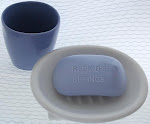
Thanks to this class, i am now the worlds biggest procrastinator! The web Generators are tones of fun. There are many different online generators which you can use to create so many different things. My personal favorite is the Airline Ticket Generator where you can create an airline ticket for many airlines with your name on it and in first class. I have e-mailed an image to some people who think it is real! There are others which you can see on the side panel. A bar of soap with a message on it and a fake magazine cover. There are many others available. This is a neat application for having fun when board or simply playing around and creating projects online. Best of all, no software is required. Just the Internet!
Saturday, March 29, 2008

Monday, March 3, 2008
Internet Activity #2
Once again this class is introducing me to many aspects of Google i never knew about. First of all, the only thing i thought google was useful for was searching. I also knew that you could have an e-mail address (g-mail). Now i know there are many interesting applications such as blogger and reader and docs etc. to use for free! i just thought i would throw that in there as i am sure some other classmates agree. The new google application for this assignment is google reader. Do i ever like it! Google reader lets you browse your favorite web sites through subscriptions to feeds from web pages and enables you to easily see which pages have been updated and with what content. There are three main ways to add feeds to your reader. Firstly, you can add a feed by searching for feeds using key words in the "add subscription" tap. For example, i typed in "CNN" into the add subscription tab, then saw many possible feeds i could choose from to subscribe too. Next to that tab is a button called "Discover". Click that and the first thing to load is a group of feeds under the recommendations tab. Based on previous searches or your very first search, the reader gives you recommendations for popular sites with the number of suscribers next to it showing the feeds popularity. Finally, there is a packages tab which gives you the option of subscribing to a bundle of feeds under one topic. There is a sports package, a news package, a fun package and much more created by google reader. This enables you to see many popular and interesting feeds in one interest area. I have been using google reader for only a few days now and i find that it is much more efficient at seeing what is new on my favorite web pages. I no longer have to type the entire web address and let it load and then browse and suck back my already limited spare time. Now i only have to click on each subscription to see the changes and updates on the site. If i am interested in knowing more on the subject, i simply click on the article and it sends me to the website! In all it saves time. You can also add interesting articles or events through sharing and attach them to your blog. On this blog on the top right side is a list of shared articles which interested me and i am allowing other people who visit this blog to read them. I think that google reader is much better than searching individual sites. It is perfect for first thing in the morning searches or quick updates on your favorite topics. However, if you simply wish to visit one site and browse, it is better to just type in the URL. This technology i will defiantly use everyday, especially when time compressed! I think it would be more useful when more people and friends start using it so that it is easier to keep up with their interests and find more interesting things that you can add.
Once again this class is introducing me to many aspects of Google i never knew about. First of all, the only thing i thought google was useful for was searching. I also knew that you could have an e-mail address (g-mail). Now i know there are many interesting applications such as blogger and reader and docs etc. to use for free! i just thought i would throw that in there as i am sure some other classmates agree. The new google application for this assignment is google reader. Do i ever like it! Google reader lets you browse your favorite web sites through subscriptions to feeds from web pages and enables you to easily see which pages have been updated and with what content. There are three main ways to add feeds to your reader. Firstly, you can add a feed by searching for feeds using key words in the "add subscription" tap. For example, i typed in "CNN" into the add subscription tab, then saw many possible feeds i could choose from to subscribe too. Next to that tab is a button called "Discover". Click that and the first thing to load is a group of feeds under the recommendations tab. Based on previous searches or your very first search, the reader gives you recommendations for popular sites with the number of suscribers next to it showing the feeds popularity. Finally, there is a packages tab which gives you the option of subscribing to a bundle of feeds under one topic. There is a sports package, a news package, a fun package and much more created by google reader. This enables you to see many popular and interesting feeds in one interest area. I have been using google reader for only a few days now and i find that it is much more efficient at seeing what is new on my favorite web pages. I no longer have to type the entire web address and let it load and then browse and suck back my already limited spare time. Now i only have to click on each subscription to see the changes and updates on the site. If i am interested in knowing more on the subject, i simply click on the article and it sends me to the website! In all it saves time. You can also add interesting articles or events through sharing and attach them to your blog. On this blog on the top right side is a list of shared articles which interested me and i am allowing other people who visit this blog to read them. I think that google reader is much better than searching individual sites. It is perfect for first thing in the morning searches or quick updates on your favorite topics. However, if you simply wish to visit one site and browse, it is better to just type in the URL. This technology i will defiantly use everyday, especially when time compressed! I think it would be more useful when more people and friends start using it so that it is easier to keep up with their interests and find more interesting things that you can add.
Subscribe to:
Posts (Atom)